AI Concept Envisioning (ACE) Toolkit
Figma Community Resource, AI Design Research, Concept Design, UX Design, Systems Thinking, Design Strategy
TEAM
4 UX Designers
1 PhD Researcher
1 Faculty Staff
TIMELINE
March 2025 - November 2025
9 Months
CONTEXT
The ACE Toolkit is a modular ideation and reflection system built as a Figma Community resource. It integrates directly into designers' existing workflows to help them articulate AI behavior, surface value tensions, and turn abstract AI decisions into thoughtful discussions.
ROLE
Graduate Design Assistant | UX Designer
I led systems design for the toolkit, defining its structure, flow, and components. I facilitated design sessions, built prototypes and storyboards, and presented iterations for faculty review. Over 9 months, I collaborated with 4 design researchers using a research-through-design approach to explore how structured prompts and visual scaffolding could support more intentional AI concepting.
IMPACT
Published toolkit to the Figma Community, driving adoption directly within designers' workflows.
Strengthened early AI decision making by helping designers articulate AI behavior, values, and implications.
Supported individual reflection and collaborative critique through modular and reusable system.
Co-authored a research paper on the toolkit, conditionally accepted to DIS 2026, a premier ACM venue for design research.

Designers want better ways to envision, reflect on, and critique their own AI concepts early in the process.
Designing for AI often feels ambiguous and inaccessible. Most designers lack frameworks for reasoning about AI behaviors, value tensions, and human-AI tradeoffs. Existing resources like Google's People + AI Guidebook or Microsoft's HAX Toolkit tend to support advanced teams, leaving early-stage ideation largely unsupported.
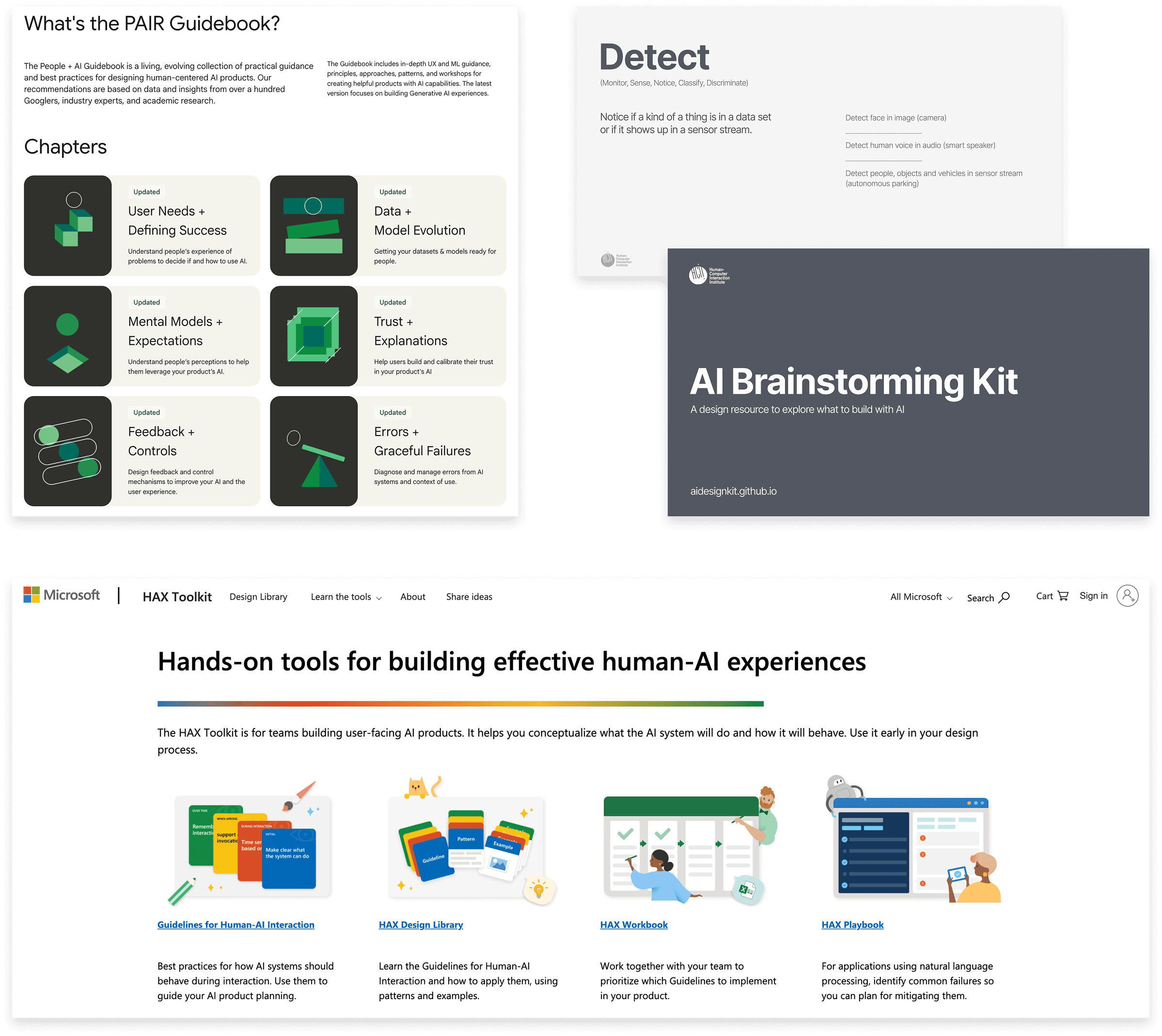
Google’s People + AI Guidebook, CMU HCII AI Brainstorming Kit, and Microsoft’s HAX Toolkit
Early Exploration
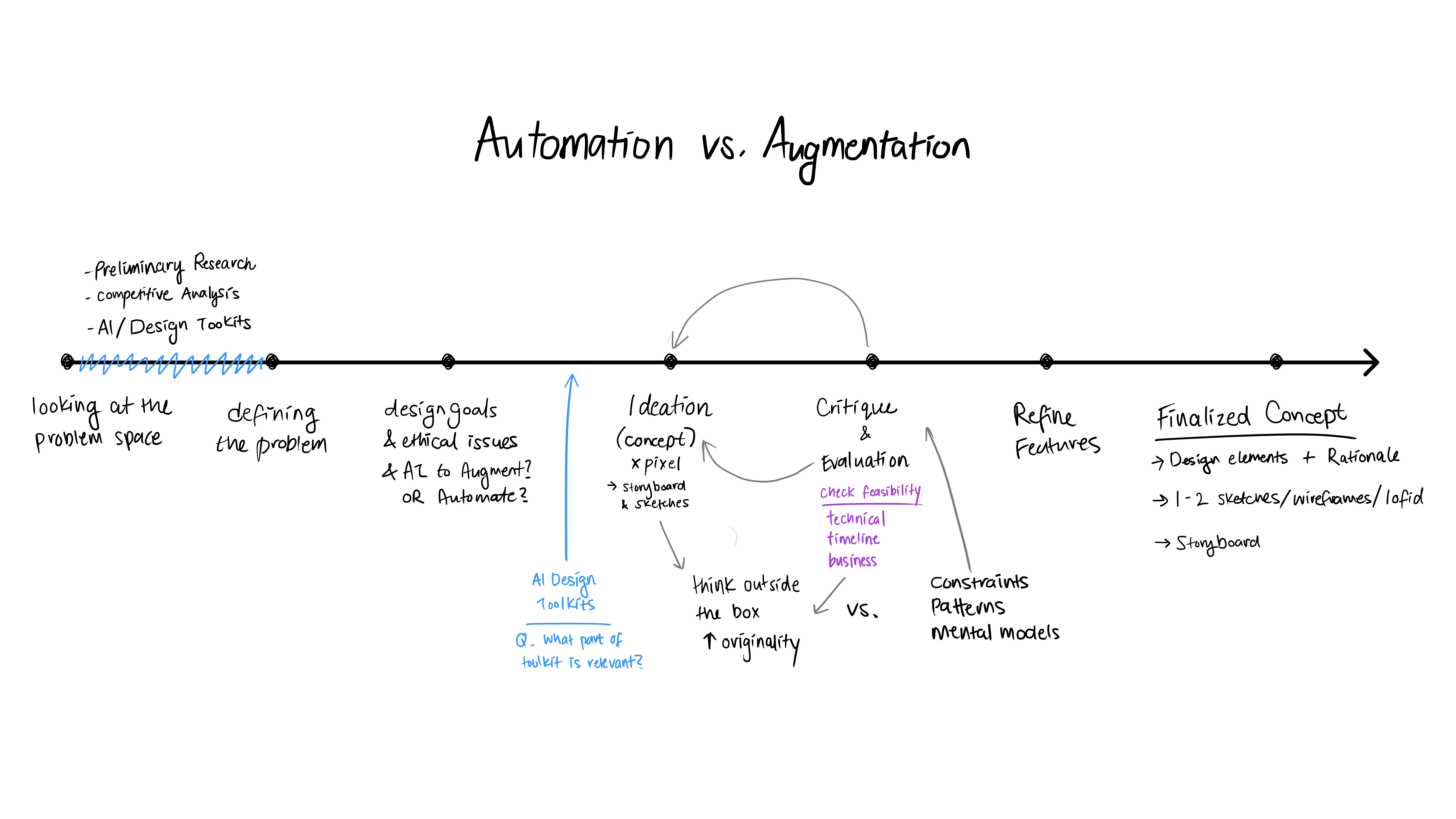
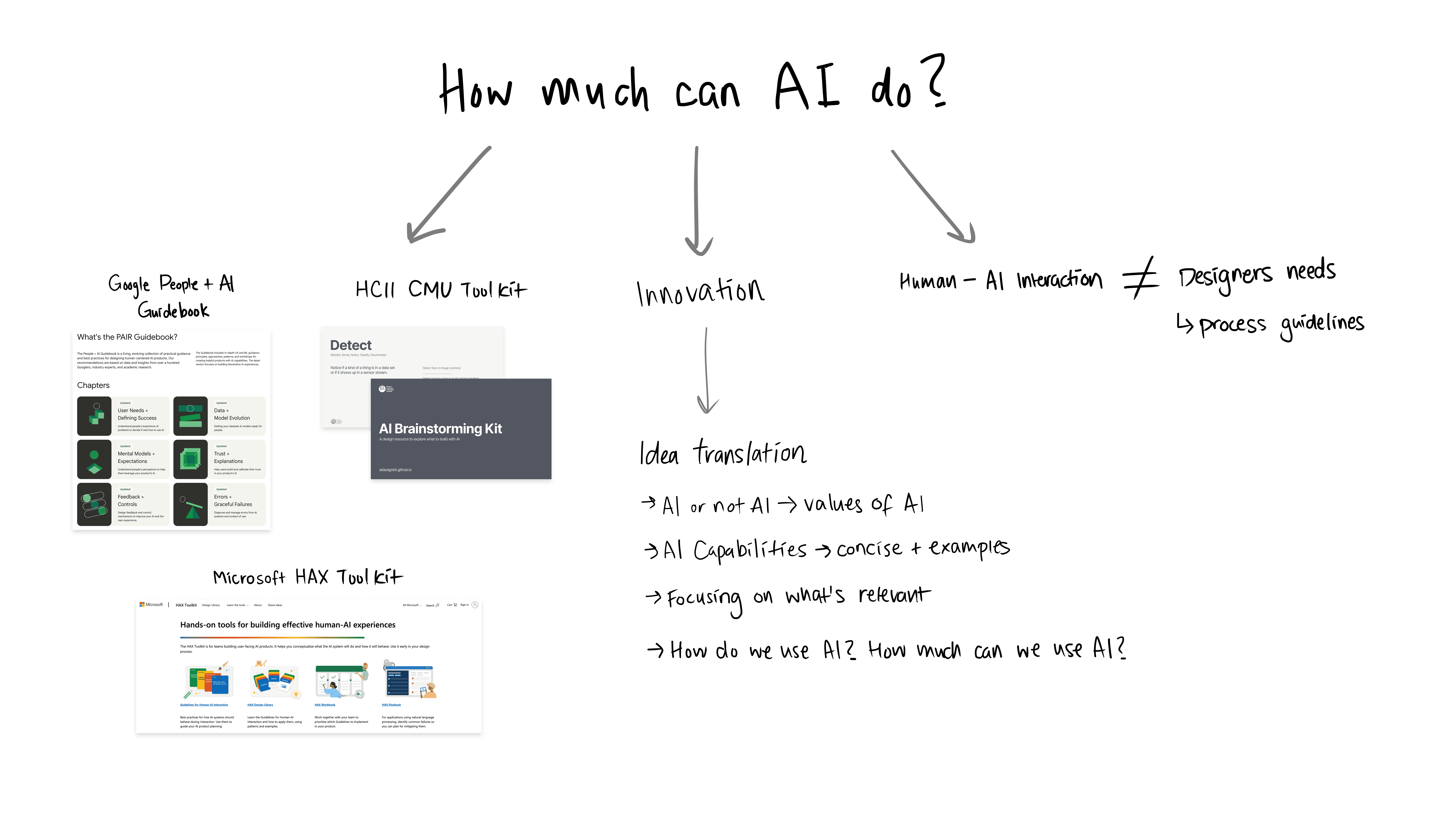
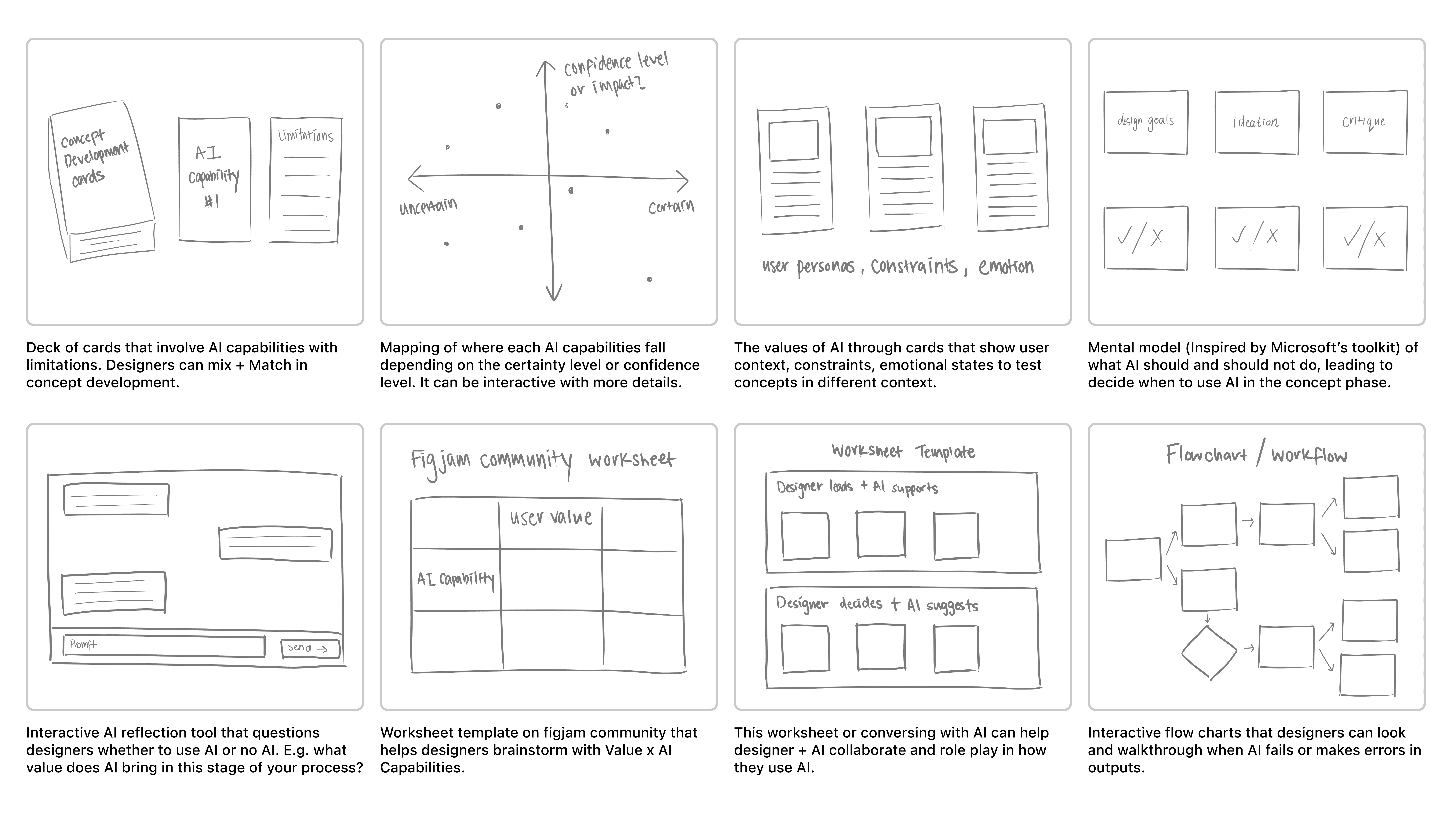
We mapped designers' ideation processes and storyboarded moments of hesitation and reframing. Key patterns emerged that shaped our first prototype: difficulty translating loose concepts into concrete AI behaviors, trouble anticipating value tensions, and a lack of lightweight cues for reflection before committing to a direction.
The Insight
Designers struggled to understand what 'good' AI behavior looks like and reflect on the implications of their choices. This led us to an opportunity to help them externalize their thinking, ground concepts in real AI capabilities, and evaluate decisions against human values.
Version 1: The Web-based Toolkit
Guided by our mapping and storyboard, our first prototype included an AI capability library, use cases, value reflection cards, and evaluation sliders and matrix.
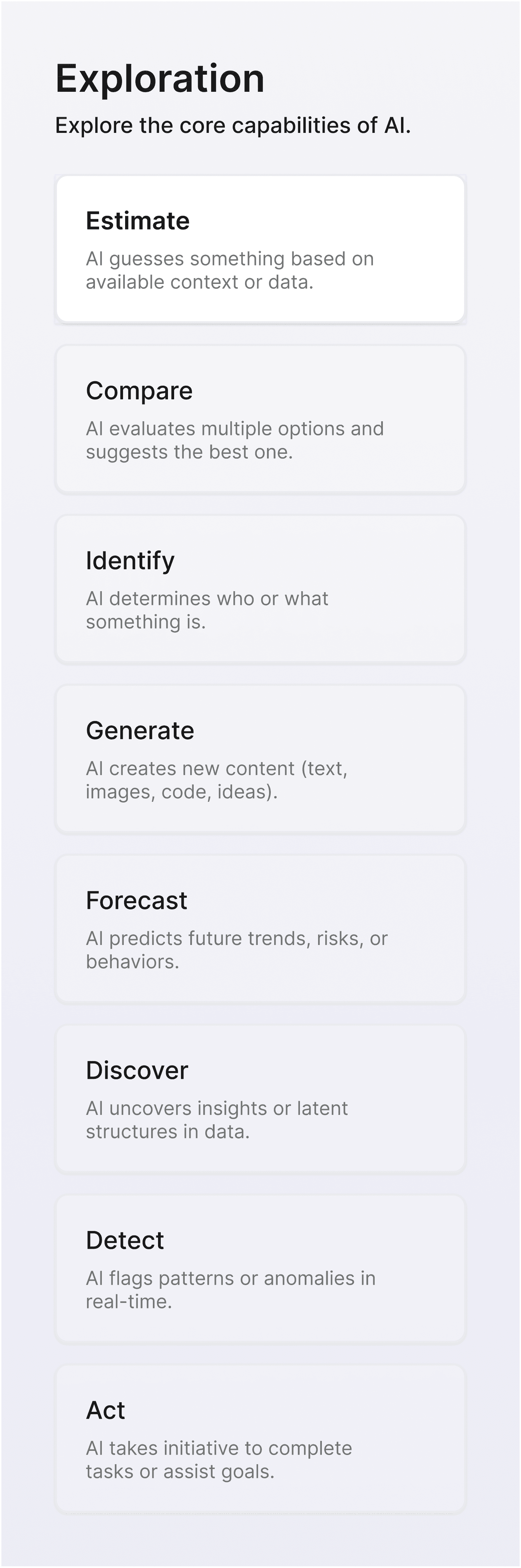
AI Capability Library
A selection list of the core capabilities of AI, adapted from CMU’s AI Brainstorming Kit.
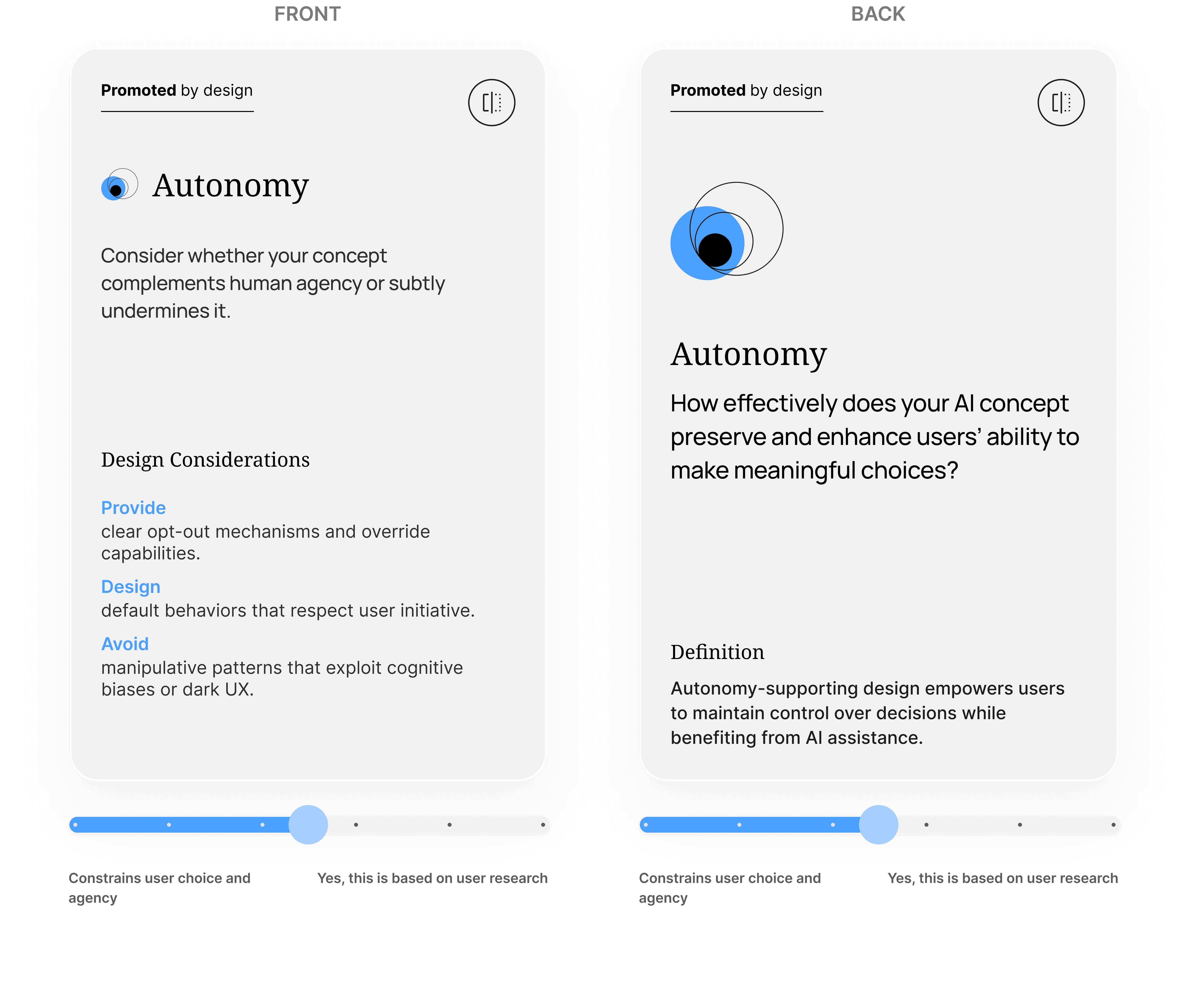
Reflection Cards with Sliders
Prompts to surface human-AI value tensions.
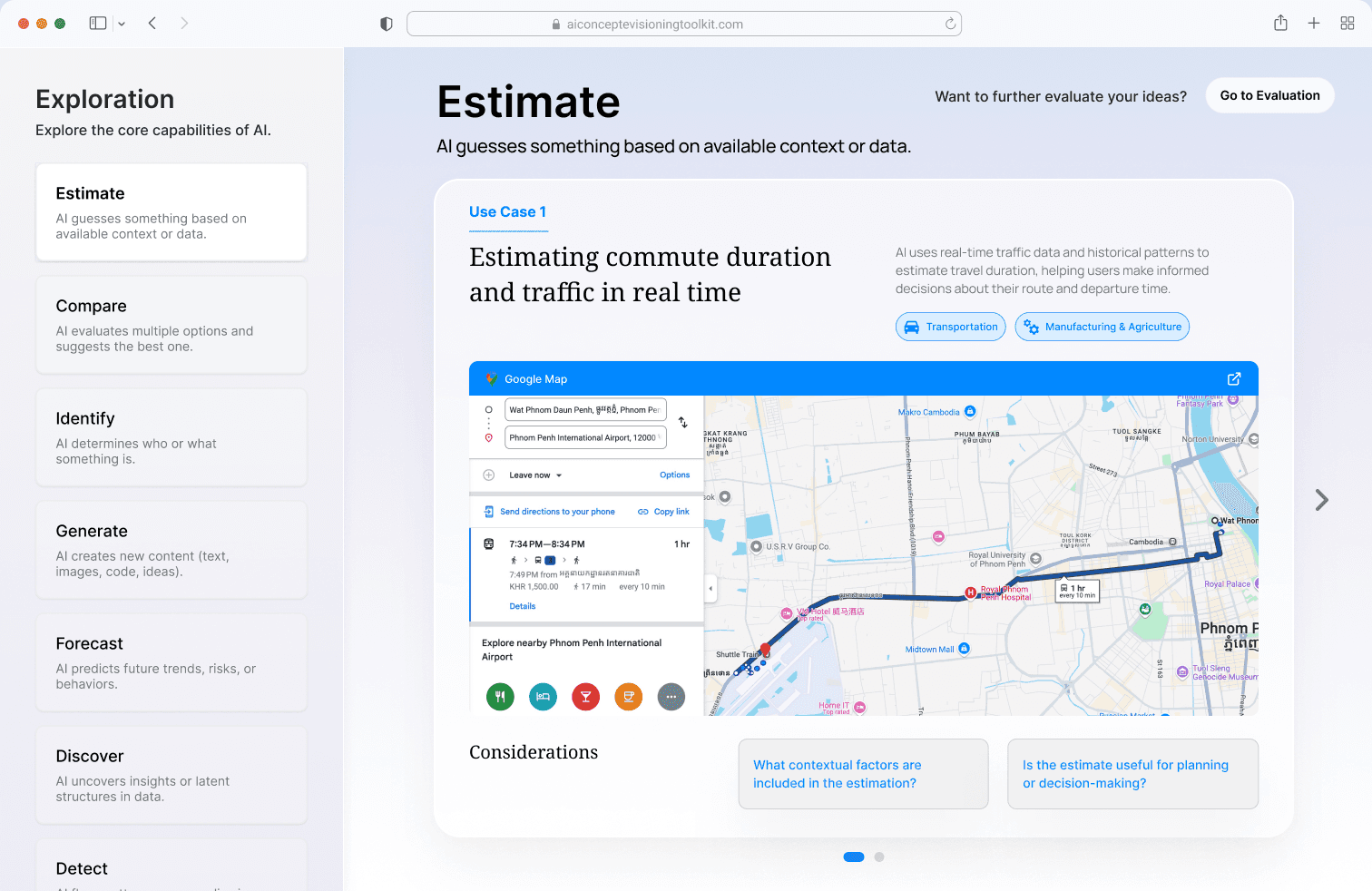
Use Cases
Examples of use cases followed by questions to consider in order to encourage anticipatory thinking.
Evaluation Matrix
A structured way to assess feasibility and alignment with human values.
Why it didn't work


Not integrated into designers' workflows.
Pilot testing with 30+ design professionals revealed that leading designers out of Figma, FigJam, and Miro created friction and reduced adoption likelihood.
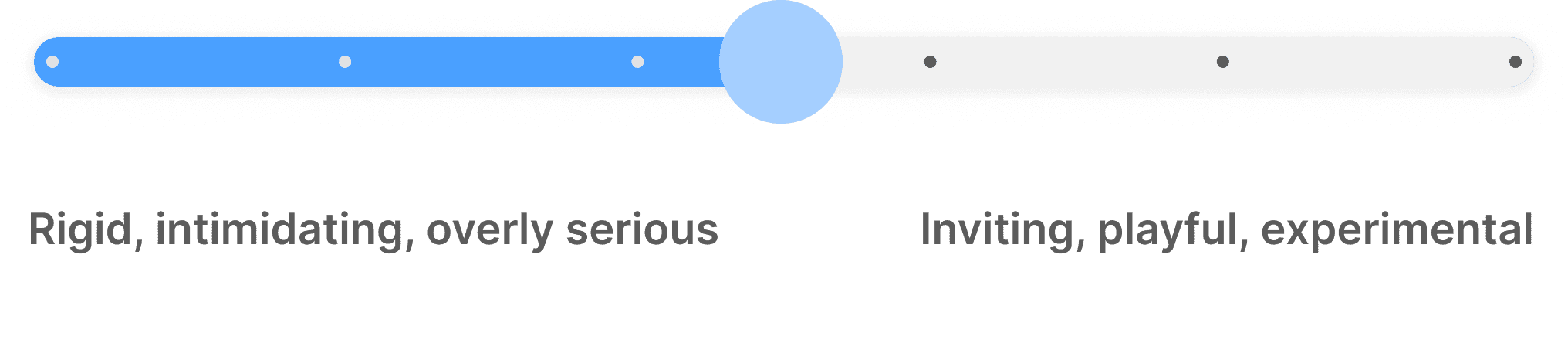
Sliders created false precision and undermined reflection.
Sliders produced false precision and shifted focus to debating numbers instead of discussing value tensions.
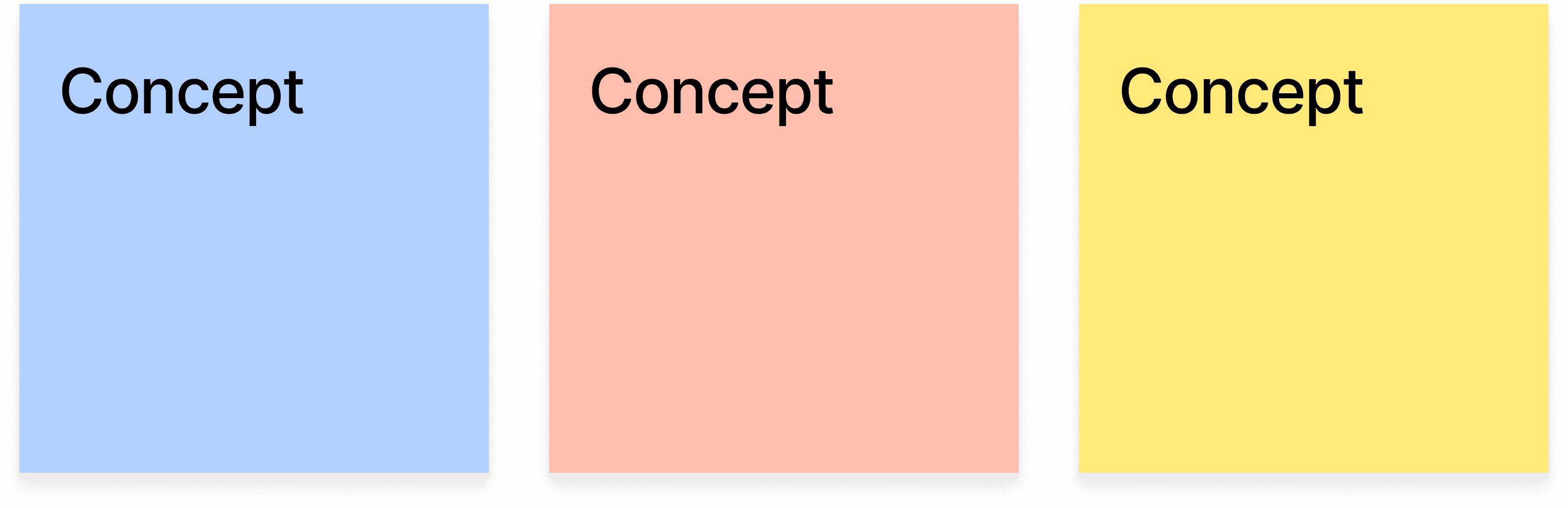
Digital format limited collaborative critique.
Educators and design teams needed printable and tangible materials for group critique so they could rearrange, sort, and cluster concepts.
Version 2: Figma Community Toolkit
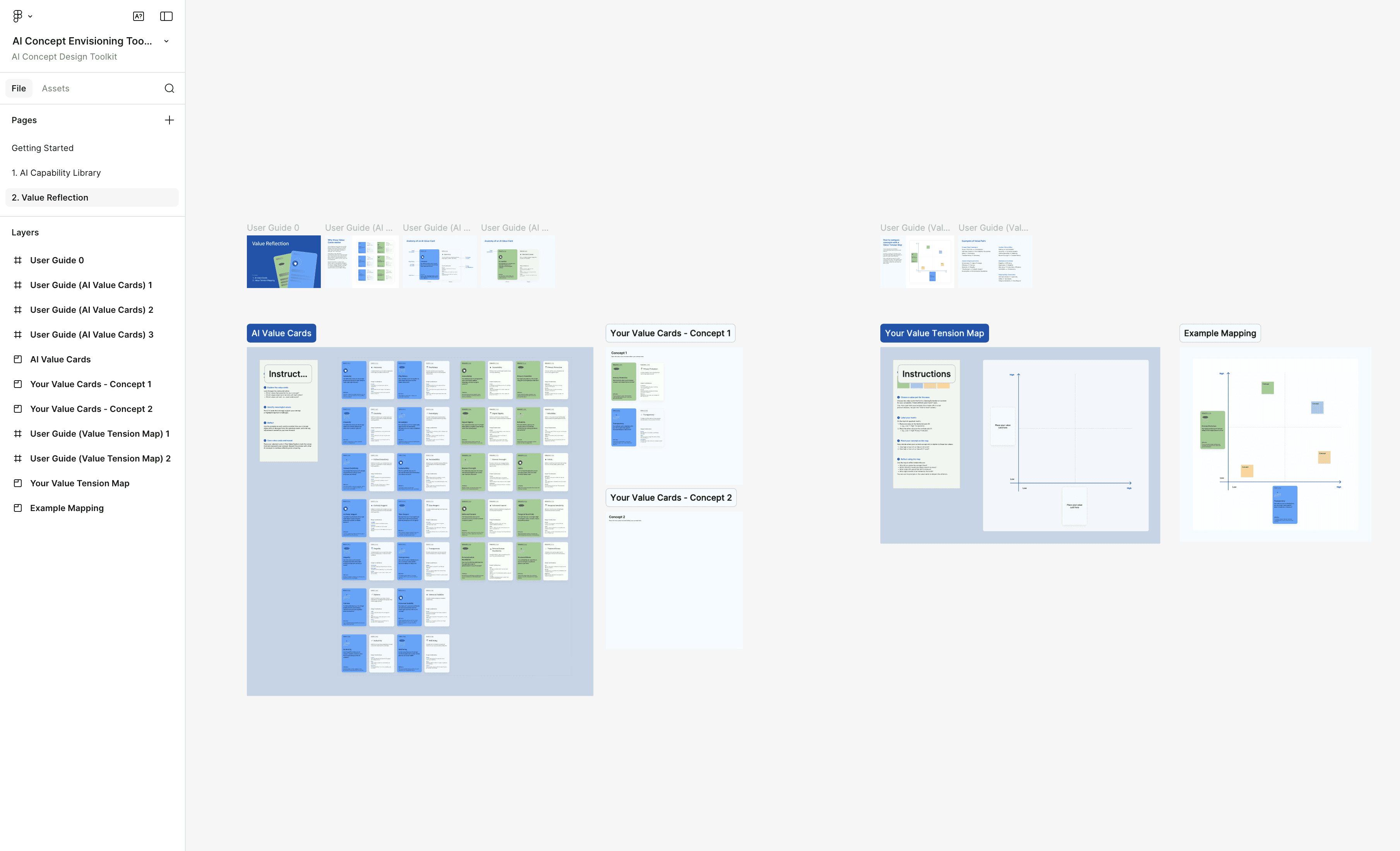
We redesigned the toolkit as a Figma Community resource, placing it directly where designers ideate. Components became modular, tactile, and remixable to support reflection, collaboration, and critique.
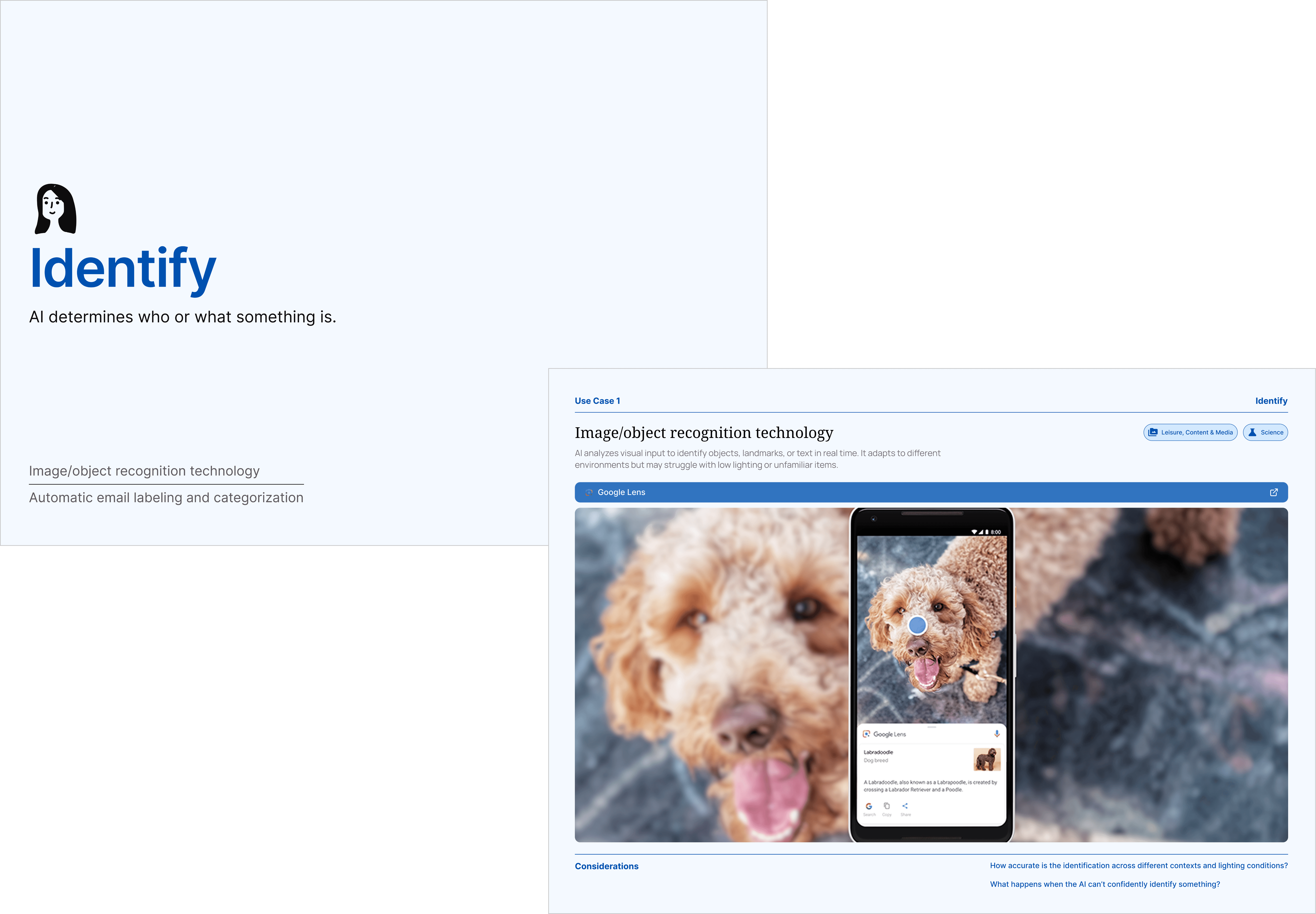
AI Capability Library
Refined layout of each definition, use cases, and added user guides around why this capability matters for concept reasoning.
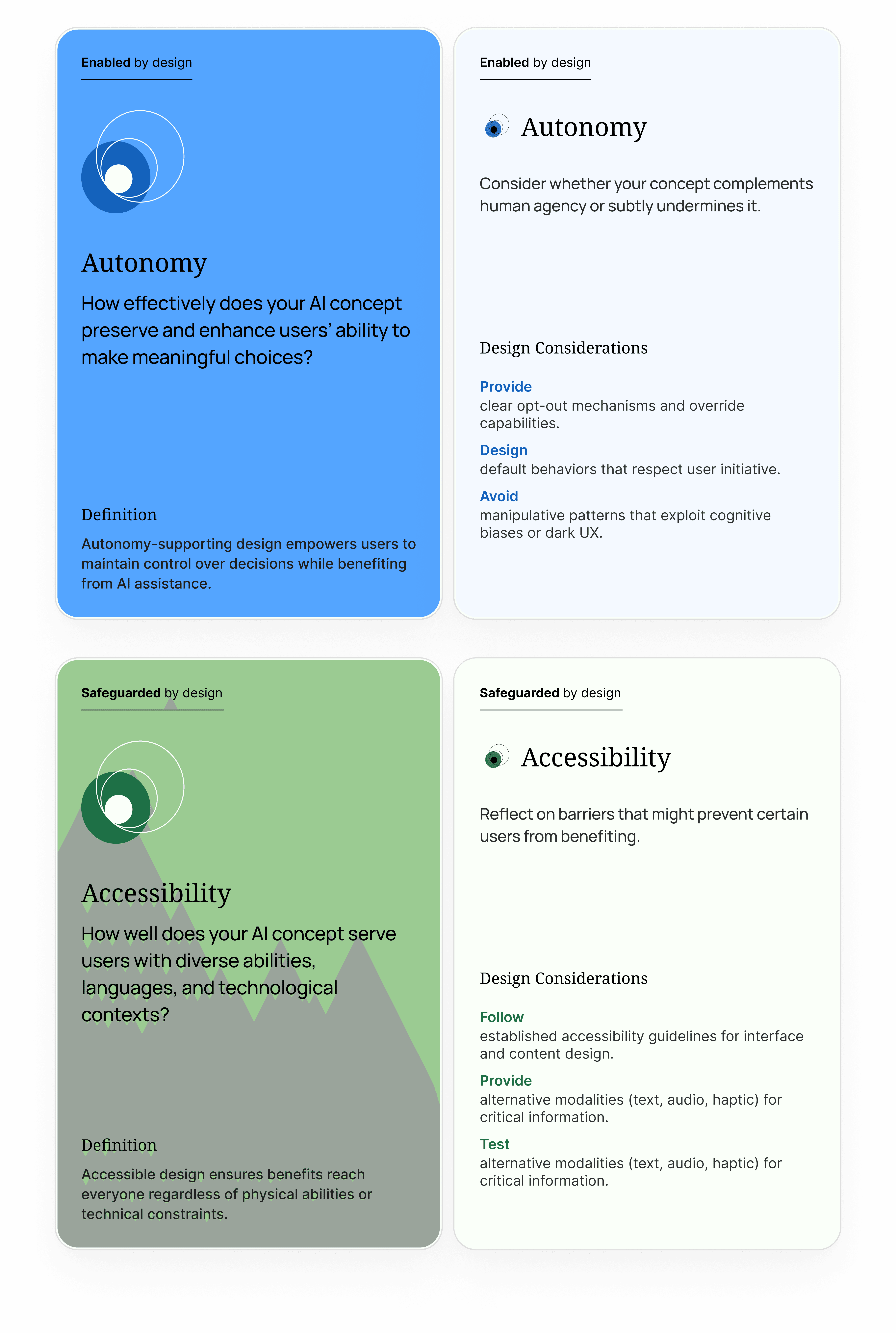
Value Reflection Cards
Kept the prompts, removed the sliders, and made the cards fully moveable. We also enhanced our primary color palette for improved accessibility and contrast

Reflection Matrix Template
A quadrant canvas for mapping tensions, clustering insights, and documenting reasoning visually.

User Guides
Short guides were added to show how to browse capabilities, transition into values, and use the toolkit individually or as a team.
The ACE Toolkit
The redesigned toolkit supports designers where reflection naturally happens. It helps them articulate AI behavior early, identify value tensions before concepts solidify, and communicate decisions through shared artifacts. What started as a standalone website became a collaborative resource shaped by the realities of real design practice.
Reflection
This project reinforced that designing for AI means designing for uncertainty. Our assumptions about format and structure were challenged through pilot testing, and the strongest decisions came from acknowledging what wasn't working. The toolkit only became useful once it mirrored real workflow habits, lowered the barrier to evaluating value tensions, and made space for collaboration and critique.